Trivia Time - TikTok Live Interactive Game
A downloadable game for Windows, macOS, Linux, and Android
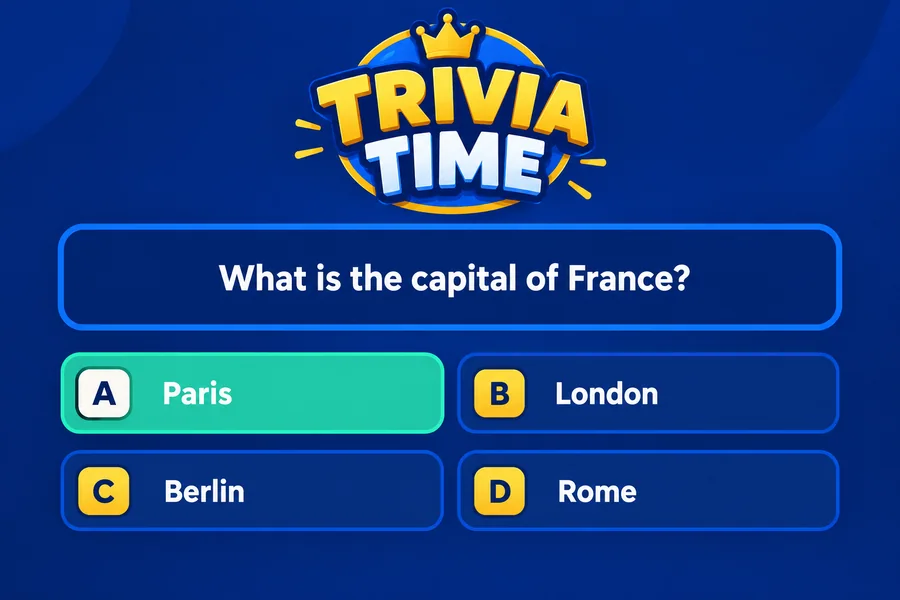
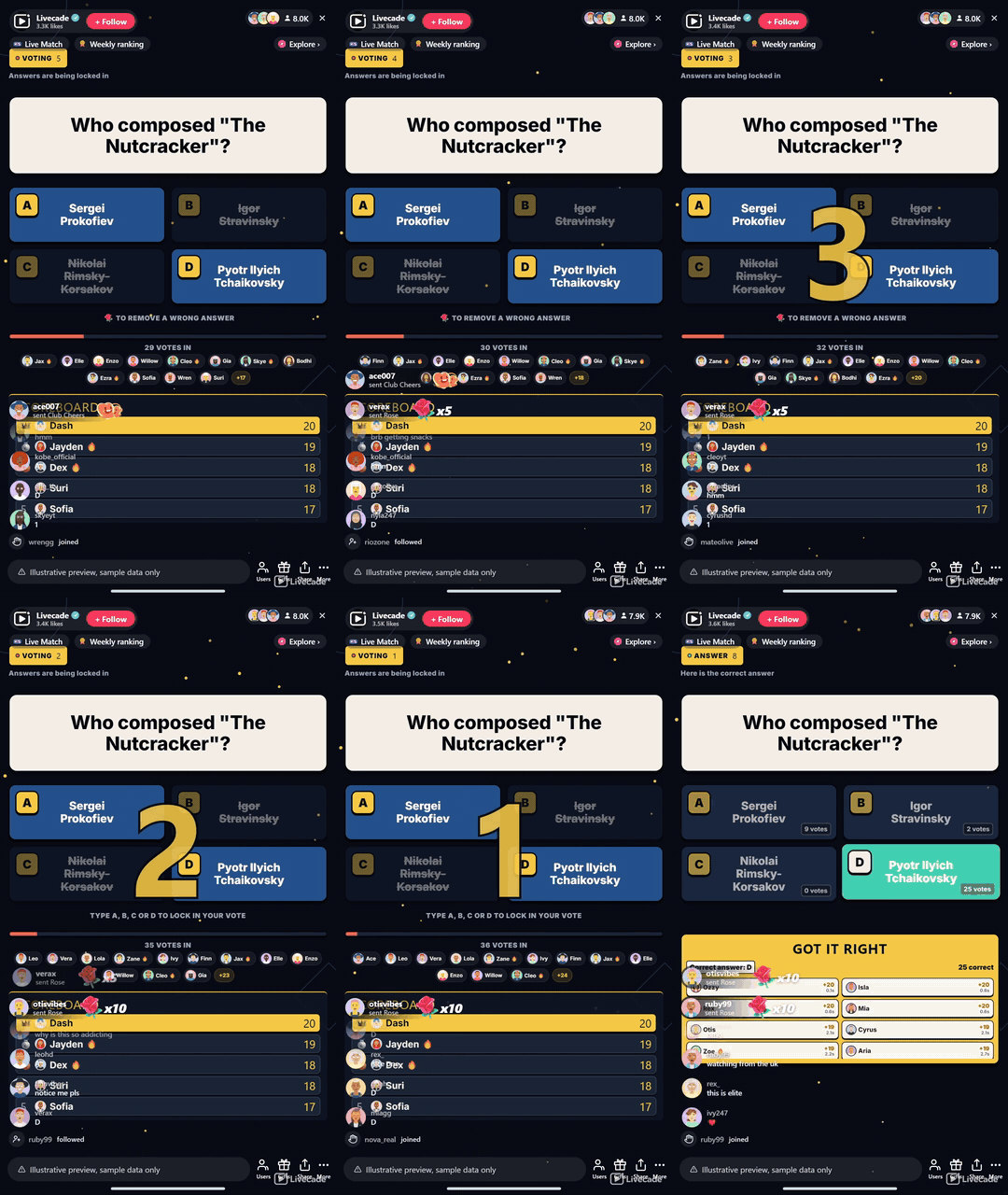
A general-knowledge quiz that runs itself. A question and four answers go up, viewers vote by typing A, B, C or D in chat, and the answer reveals with the fastest scorers on a running leaderboard. Rounds are about twenty seconds and never stall, so you can leave it on and talk over it.
Play Trivia Time on Livecade. It runs as one browser source in TikTok LIVE Studio, OBS or Streamlabs, or straight from your phone. Viewers install nothing: they play with the chat, likes and gifts TikTok already gives them.
About the game
Trivia Time puts a question and four answers on screen and lets your whole chat vote by typing a single letter. There is no ladder to climb, no category to pick and nothing to explain, so a viewer who arrives mid-stream has missed nothing.
Built to be talked over
A round is about twenty seconds from question to answer, and the next one starts on its own. Nothing waits on you, so the game runs in the background of a chatty stream instead of turning it into a show you have to host. The question can be read aloud, and a full-screen 3-2-1 counts down the last three seconds before the reveal.
Your questions, your look
The bank ships with over 24,000 questions across thirteen languages, and it is yours to edit: change any question, hide the ones that do not suit your room, or write your own. Card colors, accent and background are configurable, the seven sound effects can be swapped for your own, and the music bed comes from your music deck.
How viewers play
Viewers join in with comments and gifts. Every action below can be bound to any of them, so you decide which gift, comment or like drives which effect.
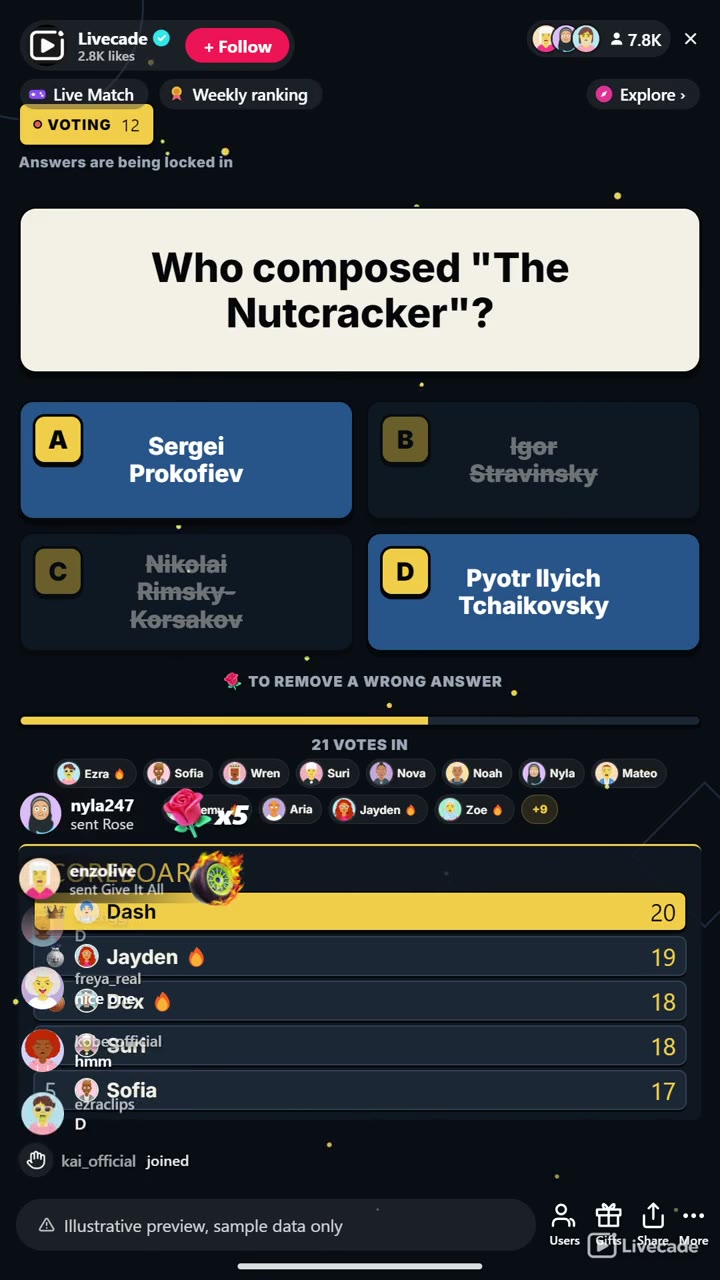
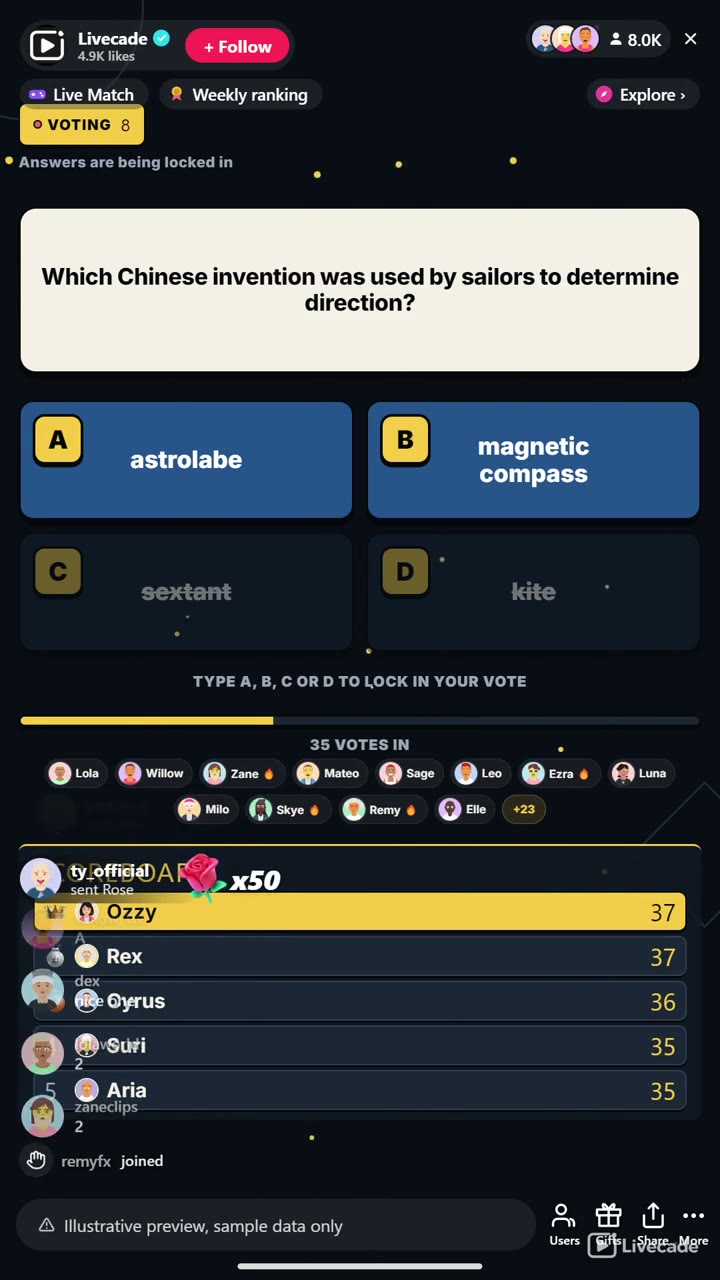
- Remove a Wrong Answer: Strikes out one of the three wrong options, so the room is voting on three
- Skip the Question: Throws out the current question and moves straight to the next one
How it works
Vote with one letter. A question and four answers go up. Viewers type A, B, C or D in chat to vote, and their avatars appear as the votes land.
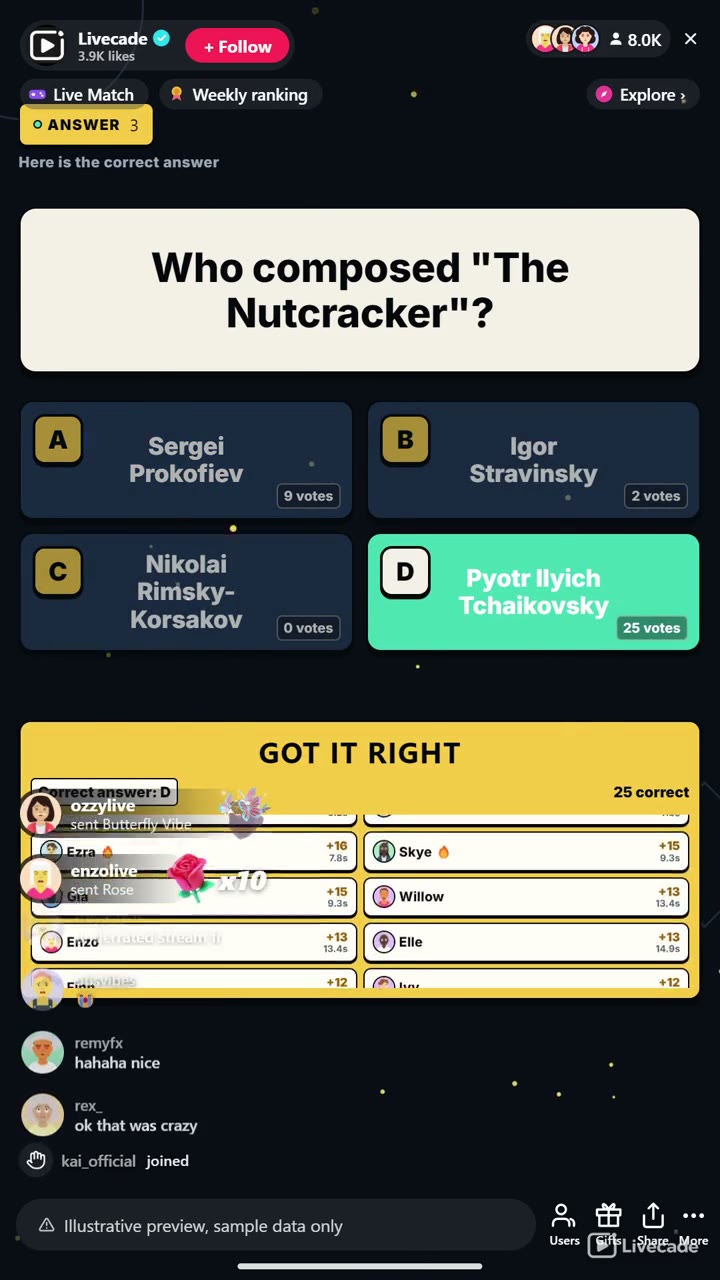
Fastest answers score most. Correct voters score, with bonus points for answering early. Vote counts stay hidden until the reveal so nobody follows the crowd.
It never stops for you. The answer reveals, the scoreboard updates and the next question starts on a timer. There is no ladder state and no round that can stall.
What you can configure
- Language: Thirteen languages for the question bank and on-screen text
- Your question bank: Edit, hide or add your own questions in any language
- Round timing: Seconds to answer, seconds on the answer, and the gap between questions
- Scoring: Points for a correct answer, and a bonus for answering fast
- Vote counts: Show how many voted for each answer, revealed only with the answer
- Scoreboard: Show the top scorers under the voters, and how many entries
- Big 3-2-1 countdown: A full-screen countdown over the last three seconds
- Read the question aloud: Text-to-speech narration of the question, in your stream voice
- Your sounds: Swap any of the seven sound effects for your own audio
- Appearance: Question card, answer card, accent and text colors
- Background: Transparent, a solid color, or your own image, with optional floating particles
- Who can play: Everyone, followers only, or your fans club only. Applies to comments and gifts
Languages
English, Spanish, Portuguese, French, German, Italian, Indonesian, Arabic, Turkish, Russian, Hindi, Romanian, Filipino
FAQ
How do viewers play Trivia Time?
A question and four answers appear on screen. Viewers type A, B, C or D in your TikTok Live chat to vote, and their avatars appear as votes land. Correct voters score, and the fastest score most.
Do viewers need to send gifts to play?
No. Voting is free and comment-driven. Gifts can remove a wrong answer or skip a question, which is what drives gifting during a round.
How is Trivia Time different from Million Quiz?
Million Quiz is a Who Wants to Be a Millionaire style ladder with difficulty tiers and lifelines, hosted like a show. Trivia Time is flat and endless: every round is the same shape, rounds take about twenty seconds, and nothing waits for you, so it suits a stream you talk over.
Can I use my own questions?
Yes. The bank holds over 24,000 questions across thirteen languages, and you can edit any of them, hide the ones that do not suit your room, or write your own.
How do I add Trivia Time to my TikTok Live?
Add one browser source URL to OBS or your streaming software and go live. There is no plugin to install and nothing for your viewers to download.
How to set it up
- Create a Livecade account and add your TikTok username.
- Copy your overlay link from the dashboard.
- Add it as a browser source in TikTok LIVE Studio, OBS or Streamlabs. On a phone, follow the phone guide instead.
- Pick Trivia Time, set your triggers and go live.
Trivia Time is one of the interactive games in the Livecade library. See every TikTok Live game.
Download
Install instructions
- Create a Livecade account and add your TikTok username.
- Copy your overlay link from the dashboard.
- Add it as a browser source in TikTok LIVE Studio, OBS or Streamlabs. On a phone, follow the phone guide instead.
- Pick Trivia Time, set your triggers and go live.
Leave a comment
Log in with itch.io to leave a comment.