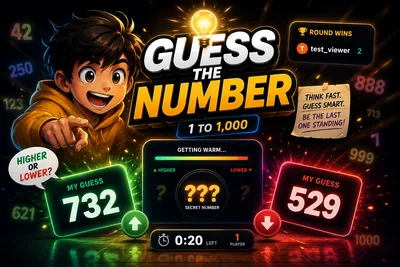
Guess the Number - TikTok Live Interactive Game
A downloadable game for Windows, macOS, Linux, and Android
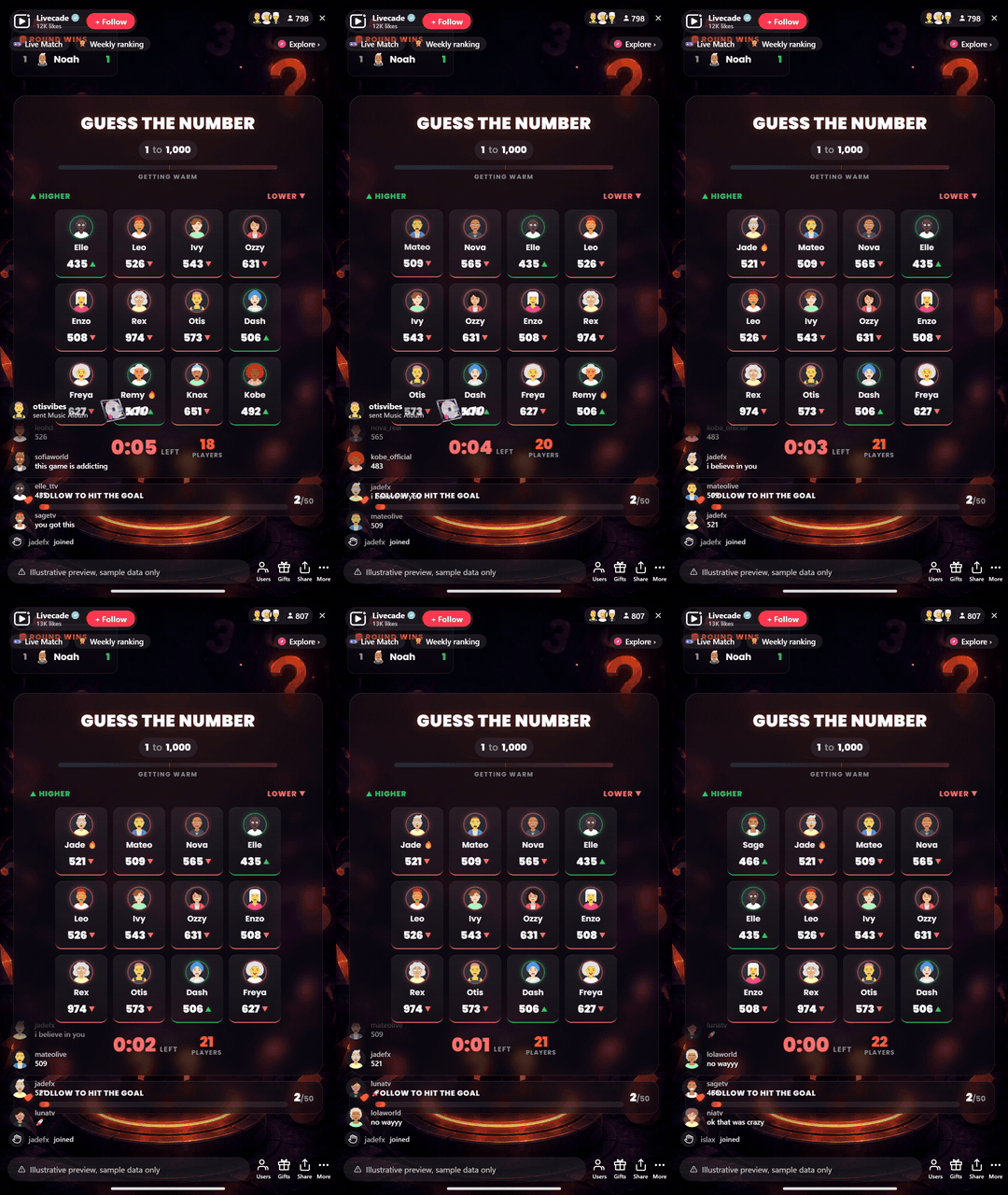
A hidden number, a live countdown, and your whole chat racing to get closest. Viewers comment guesses, the overlay shows higher or lower as they close in, and the nearest guess wins the round. A follower goal turns every round into growth.
Play Guess the Number on Livecade. It runs as one browser source in TikTok LIVE Studio, OBS or Streamlabs, or straight from your phone. Viewers install nothing: they play with the chat, likes and gifts TikTok already gives them.
About the game
Guess the Number is the easiest game your audience will ever join: type a number in chat, that is it. A secret target is set each round, random or picked by you for themed rounds like guess my age.
The crowd can feel itself getting warmer
A live shrinking range narrows with higher and lower feedback on every guess. Closest guess when the timer ends wins, or switch to first-exact-match for instant wins.
Every guesser gets a moment
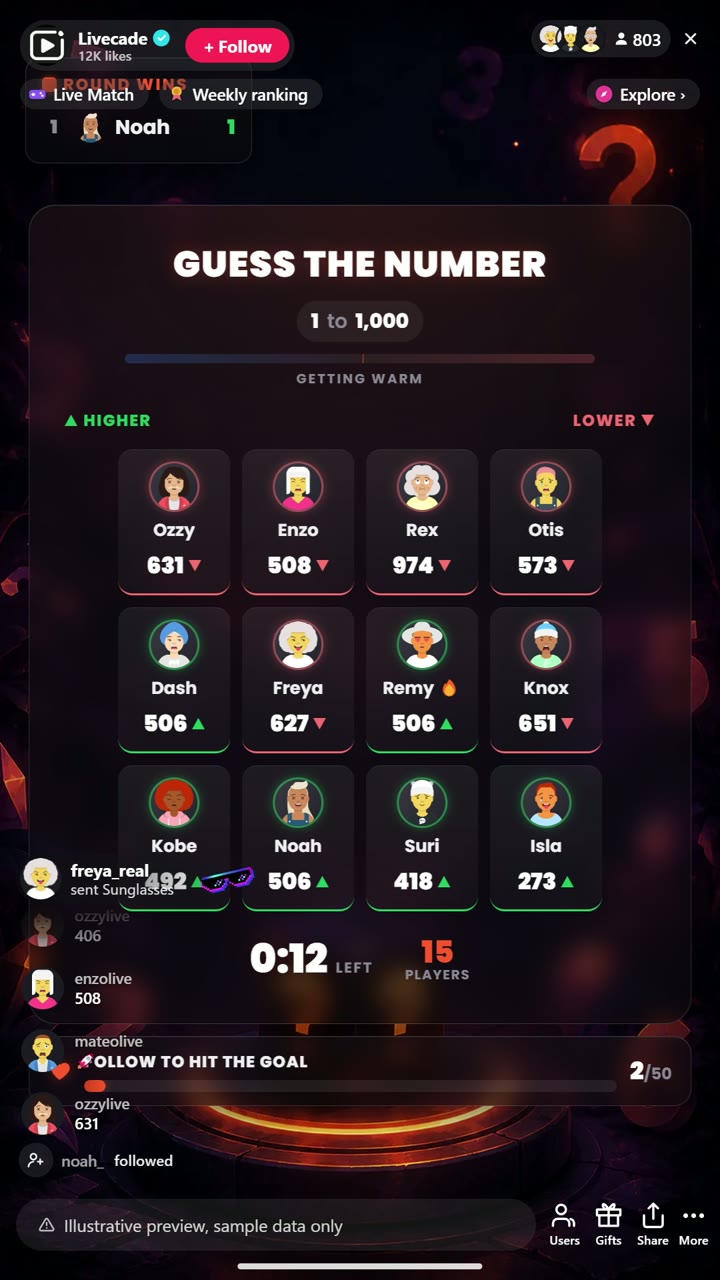
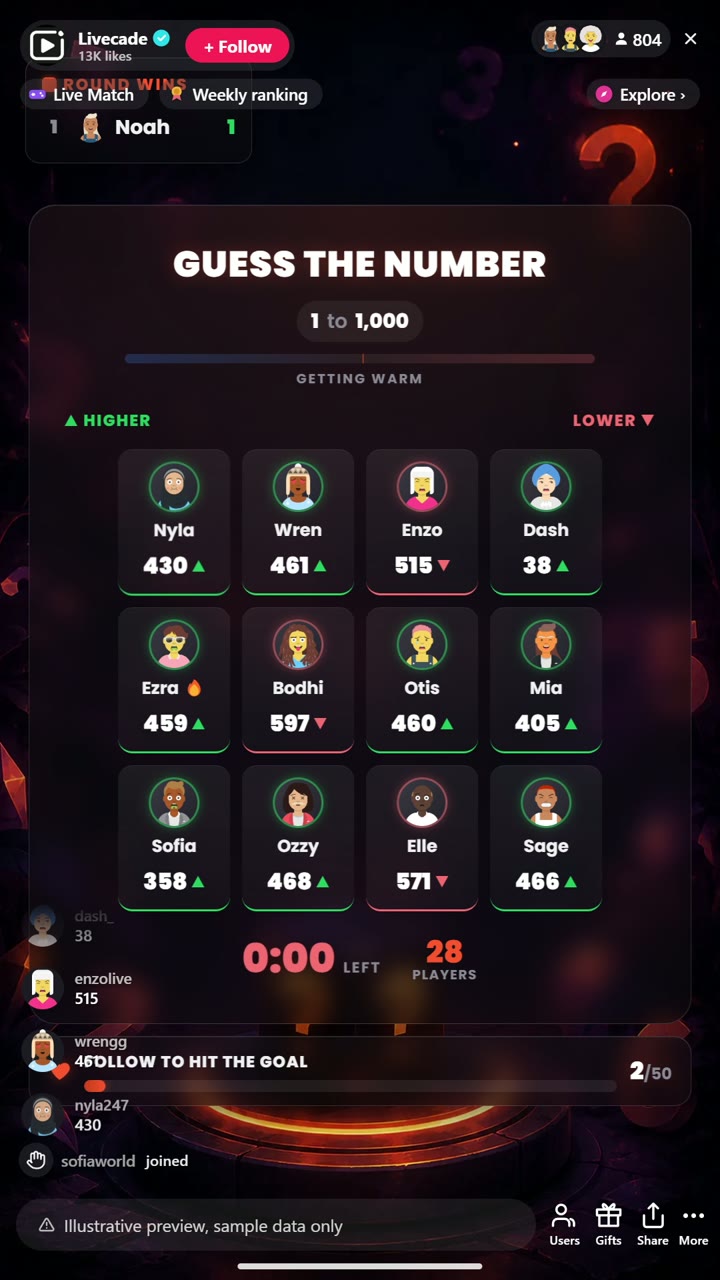
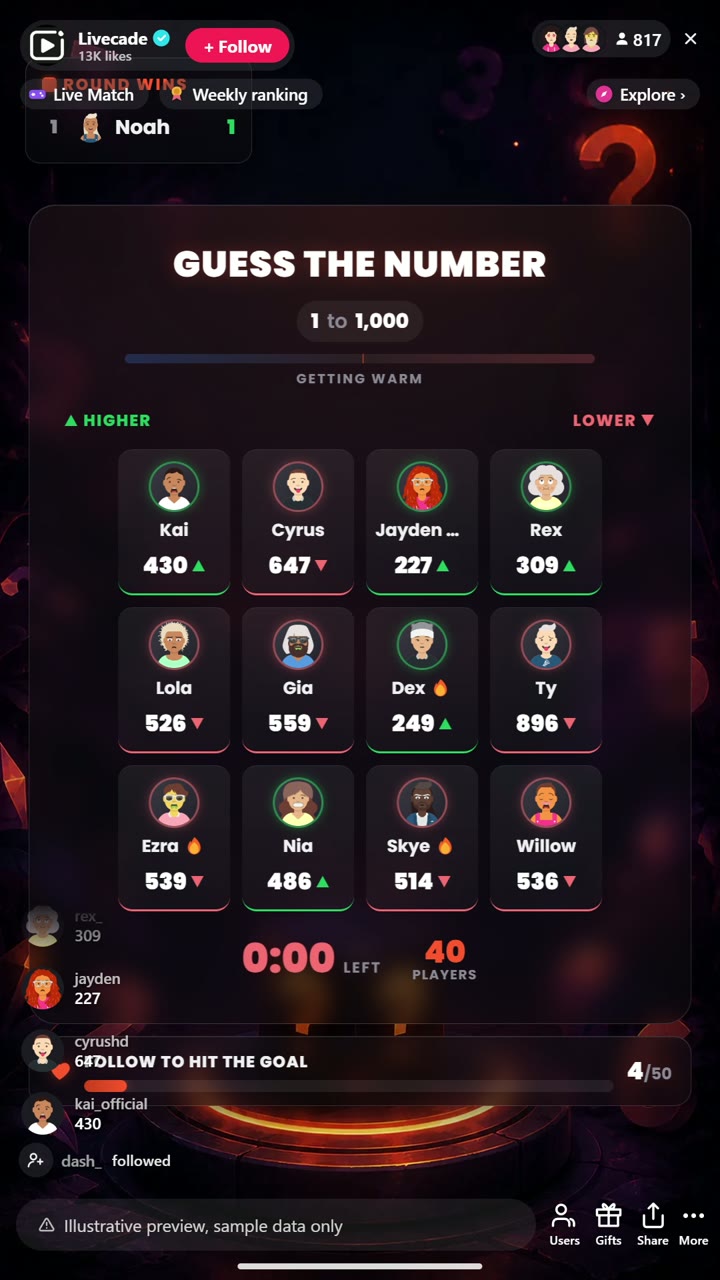
Guessers show up on screen with their avatar, a suspense beat builds before the reveal, and the closest runners-up are named too. A round-wins leaderboard gives the session an arc, and a built-in follower goal makes each round pull new follows.
How viewers play
Viewers join in with comments. Every action below can be bound to any of them, so you decide which gift, comment or like drives which effect.
How it works
Type a number to play. A secret target is set each round. Viewers just type a number in your TikTok Live chat, the easiest game your audience will ever join.
Higher or lower closes in. Every guess shows on screen with the viewer's avatar, and live higher-or-lower feedback shrinks the range as the crowd gets warmer.
Closest guess wins. When the timer ends the nearest guess wins the round, or switch to first-exact-match for instant wins. A round-wins board gives the session an arc.
What you can configure
- Interface language: Twelve languages for the on-screen chrome
- Target source: Random each round, or you set it for themed rounds like "guess my age"
- Range: The minimum and maximum the target can fall between
- Win rule: Closest guess when time runs out, or first exact match
- Round time and guesses per viewer: How long a round runs and how many tries each viewer gets
- Higher or lower feedback: Show warmer-colder hints as guesses come in
- Auto-advance: Roll into the next round automatically, with a gap you set
- Round-winners leaderboard: Show a live board of round wins, and how many entries
- Follower goal: A live follow target that makes each round pull new follows
- Read winner aloud: Text-to-speech announcement of the round winner
- Background: Transparent, a solid color, or your own image
- Who can play: Everyone, followers only, or your fans club only. Applies to comments and gifts
Languages
English, Spanish, Portuguese, French, German, Italian, Indonesian, Arabic, Turkish, Russian, Hindi, Romanian
FAQ
How do viewers play Guess the Number?
Viewers type a number in your TikTok Live chat, that is the whole game. Live higher-or-lower feedback shows the crowd getting closer until the timer ends.
Can I set the target myself?
Yes. Leave it random for a normal round, or set it yourself for themed rounds like "guess my age" or "guess the follower count".
How does it help me grow?
A built-in follower goal turns every round into a growth moment, and the round-wins leaderboard keeps regulars coming back across a session.
How do I add Guess the Number to my TikTok Live?
Add one browser source URL to OBS or your streaming software and go live. There is no plugin to install and nothing for your viewers to download.
How to set it up
- Create a Livecade account and add your TikTok username.
- Copy your overlay link from the dashboard.
- Add it as a browser source in TikTok LIVE Studio, OBS or Streamlabs. On a phone, follow the phone guide instead.
- Pick Guess the Number, set your triggers and go live.
Guess the Number is one of the interactive games in the Livecade library. See every TikTok Live game.
Download
Install instructions
- Create a Livecade account and add your TikTok username.
- Copy your overlay link from the dashboard.
- Add it as a browser source in TikTok LIVE Studio, OBS or Streamlabs. On a phone, follow the phone guide instead.
- Pick Guess the Number, set your triggers and go live.
Leave a comment
Log in with itch.io to leave a comment.